CMS

Every screen, from both sides.

The board's view and the member's view of the same platform. Every screenshot below has a switch on it — flip any one to see the other side of that feature.

Events & ticketing

The most complex thing a chapter does on the platform, start to finish — and the one place the two sides are best seen moving.

Posting the reunion

The board posts the reunion

Create the event, drop in a real venue, set a ticket price, publish. No separate ticketing tool bolted on the side.

Content & pages

Announcements, news, and the standalone pages your organisation needs — written and laid out in the same app that runs everything else.

Writing the post
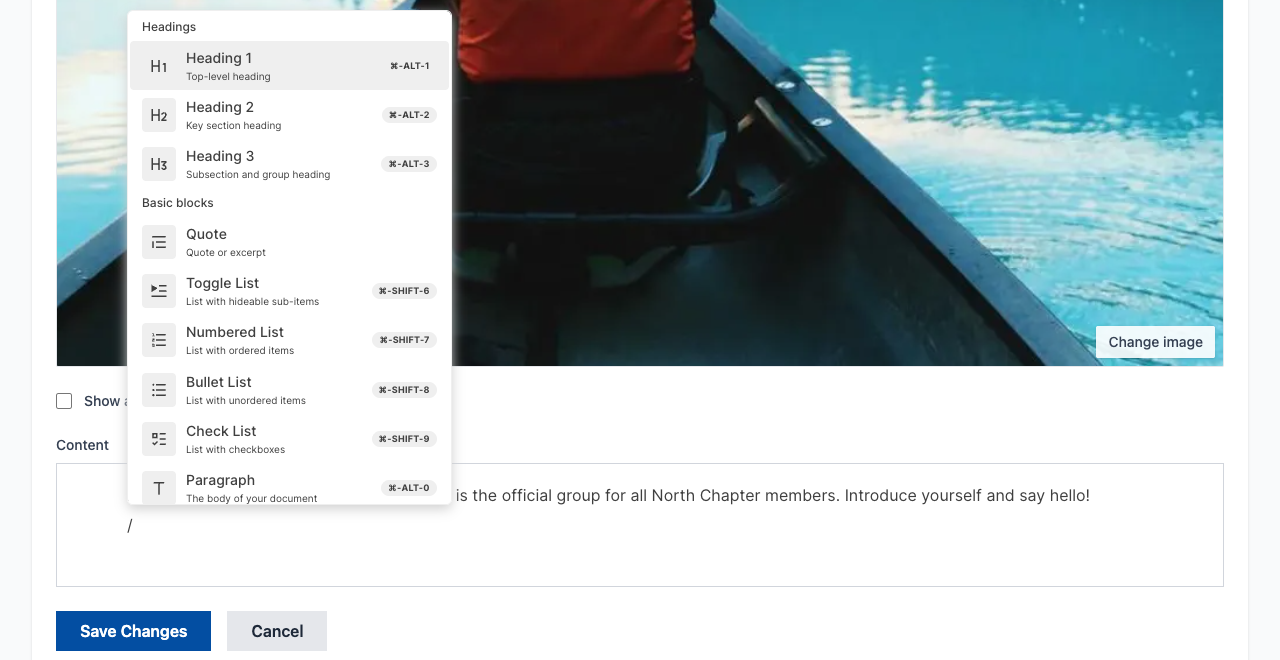
Post editor with the slash-command block menu open

A block editor for posts

Type '/' and pick a heading, a list, a quote, an image. The person writing the newsletter doesn't need to learn a CMS to do it — and what they write is what members see.

Building the page
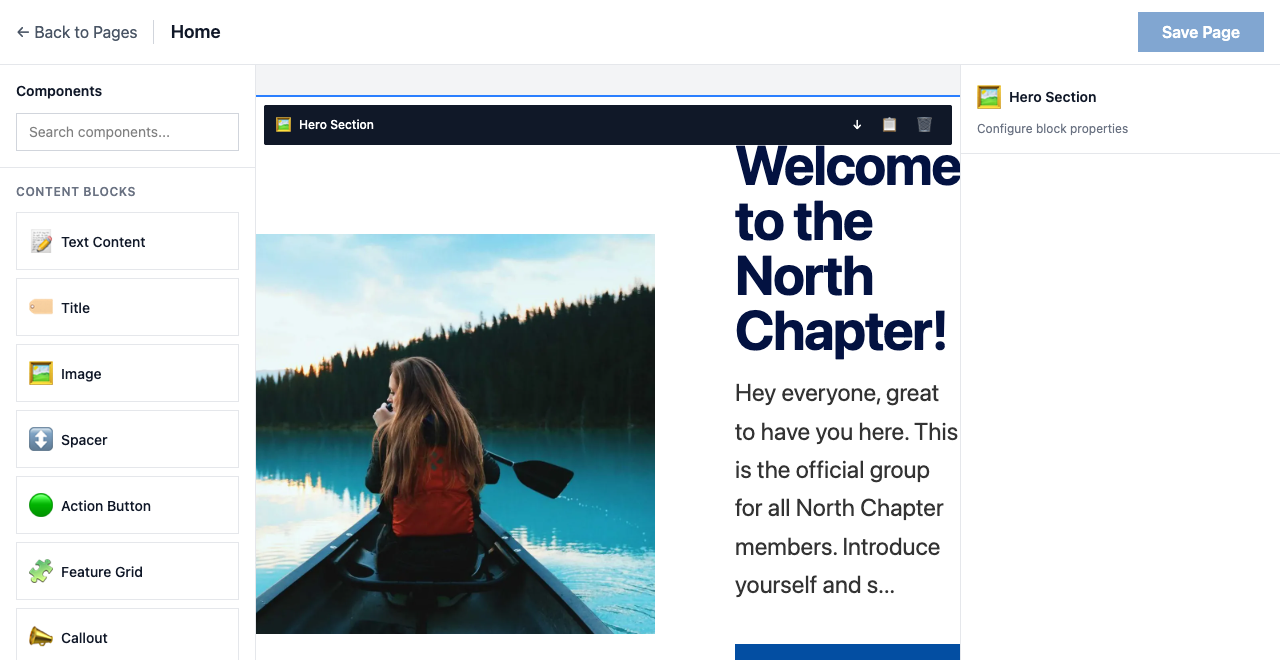
Page builder with block palette, canvas, and block properties

A page builder, not a template you're stuck with

Drag blocks onto a canvas — hero sections, feature grids, callouts, and data blocks that pull in your own events, groups, and posts automatically. Build the homepage your chapter wants without touching code.
Trust & governance

The part most community software skips: who belongs to what, who vouches for it, and who gets to decide.

Chapters, from the board's side
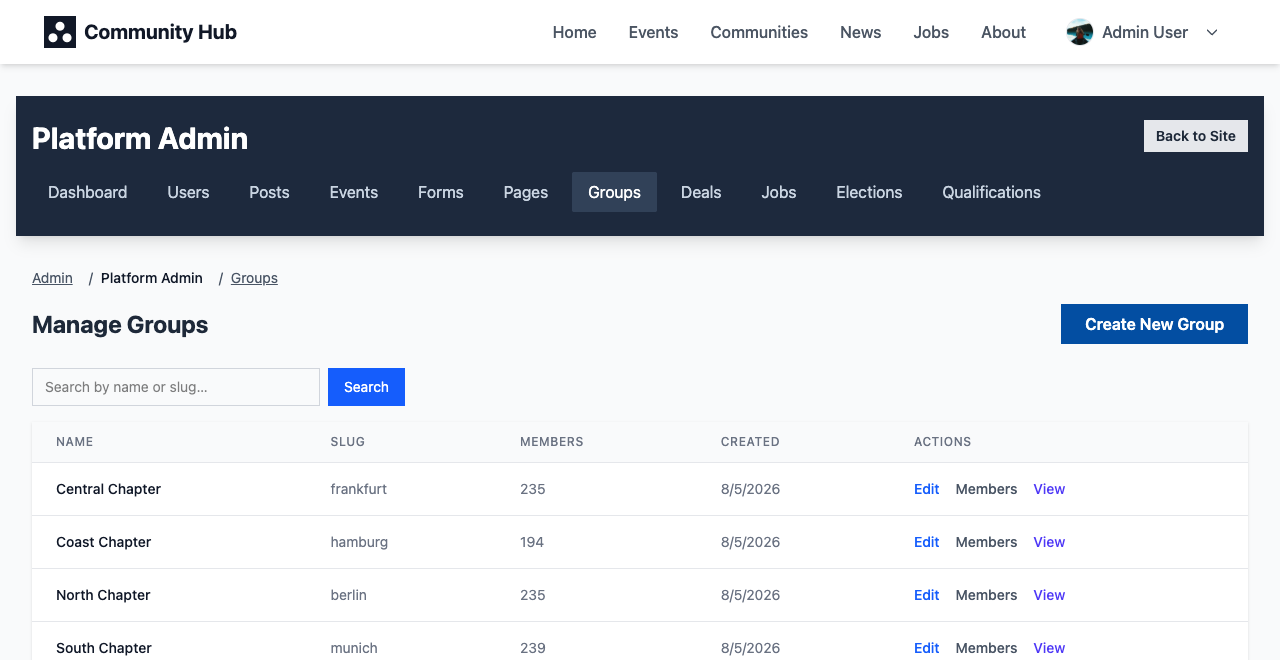
Admin screen listing chapters and their member counts

Sub-communities that run themselves

Every chapter, class year, or regional group gets its own space, its own members, and its own people allowed to post in it. The board oversees; it doesn't have to operate each one.

Defining the tags
Board-only
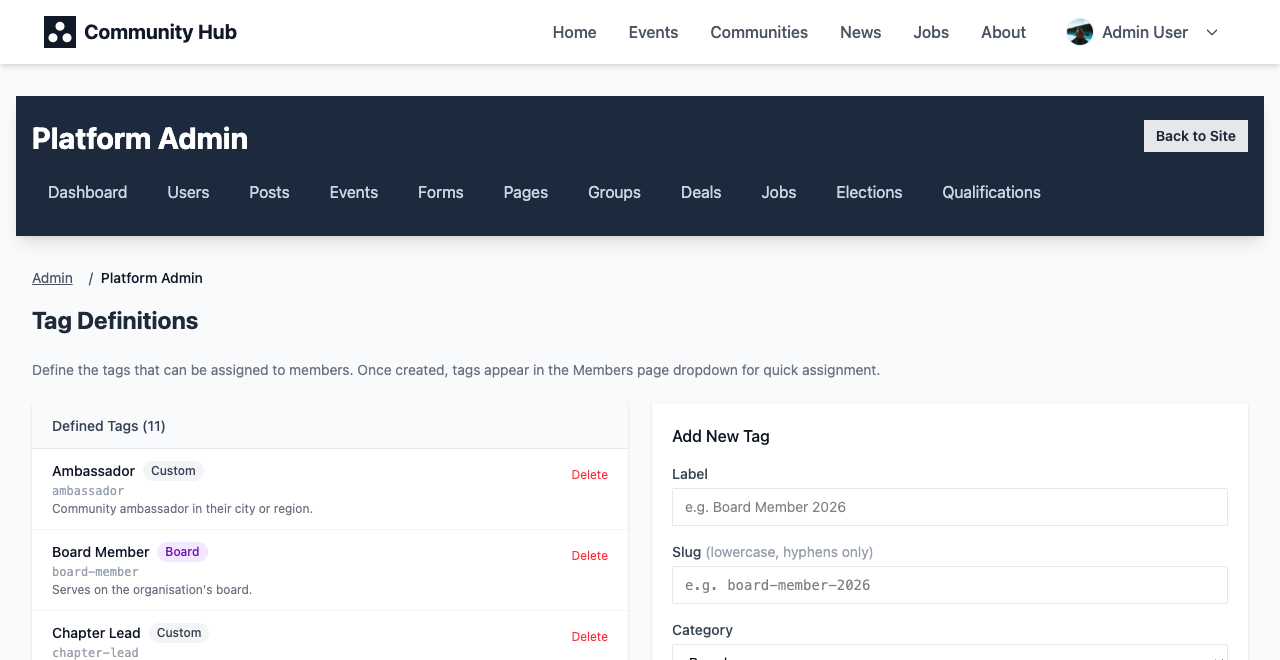
Admin screen defining member tags and their categories

Tags that mean something

Board member, chapter lead, event speaker, volunteer. Define the roles your organisation actually recognises, then assign them — so the record of who does what lives in the platform instead of in someone's head.

Board-only — members never see this screen.

The approval queue
Board-only
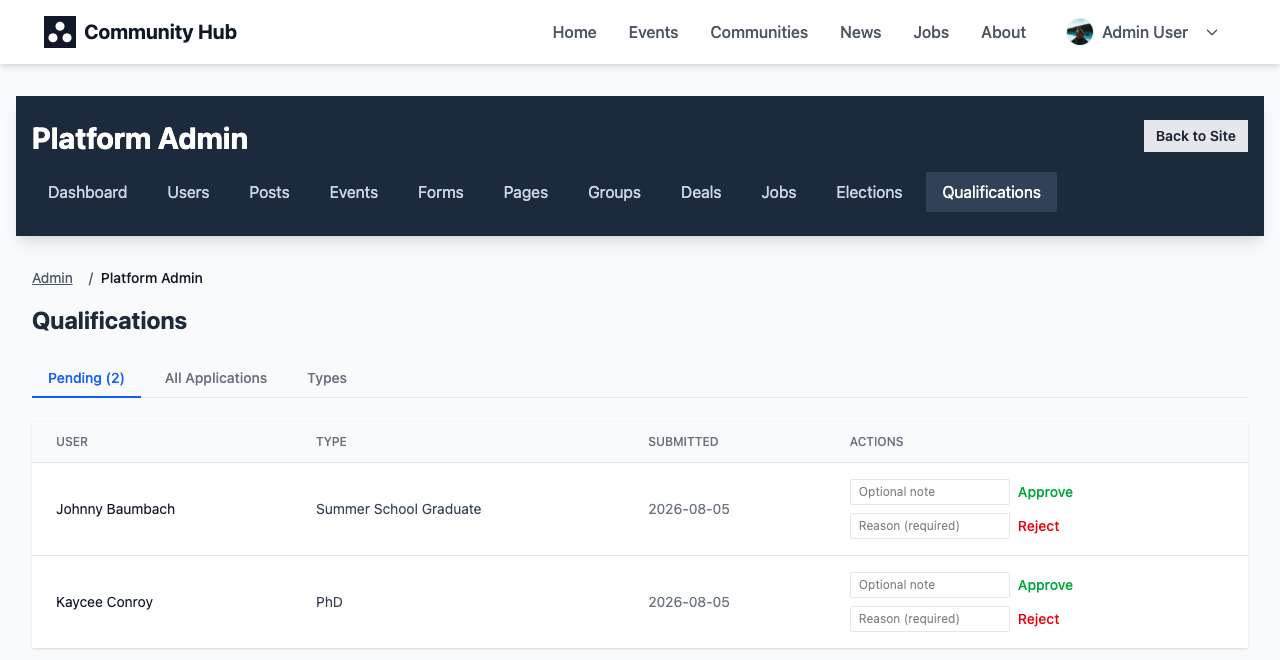
Admin screen reviewing pending qualification applications

Qualifications somebody actually checks

Members claim a degree, a credential, an alumni year; the board approves or rejects it with a note. Membership criteria stop being an honour system without becoming a bureaucracy.

Board-only — members never see this screen.

Community extras

The small things that give members a reason to come back between events.

Setting up the deals
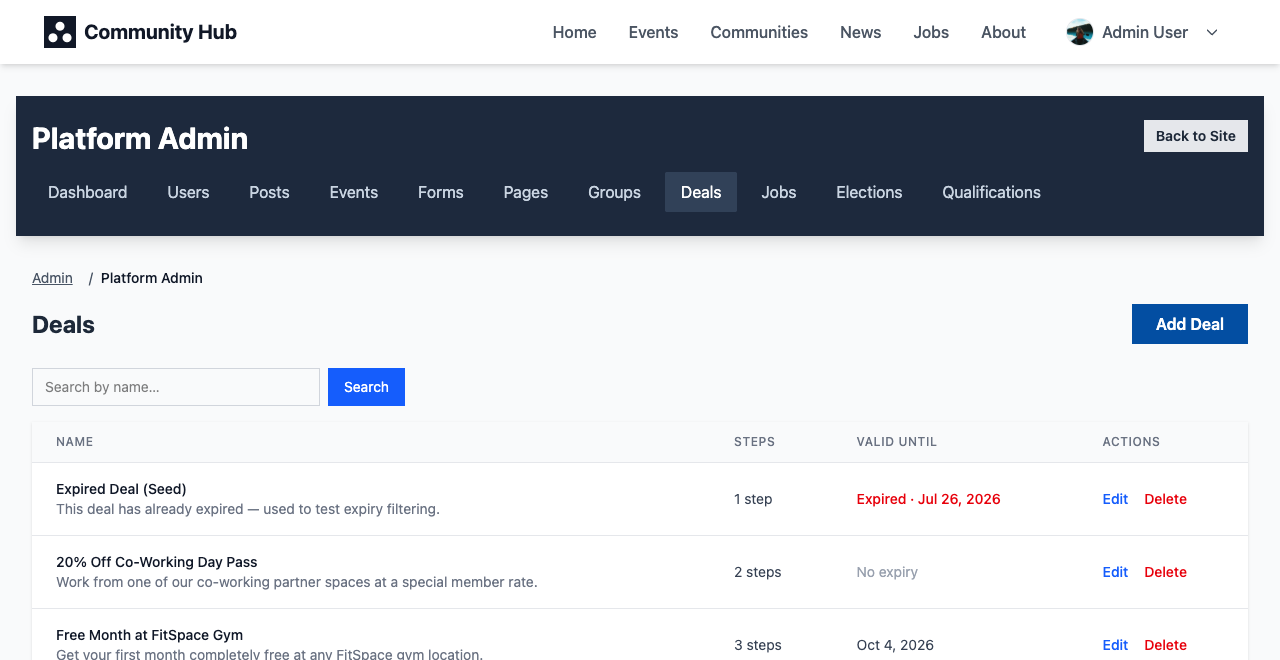
Admin screen listing member deals with expiry dates

A deal box for member-only offers

Partner discounts with the redemption steps spelled out — who qualifies, where to go, what code to use. Set it up once as a list; members get a page that tells them exactly what to do.

Approving a posting
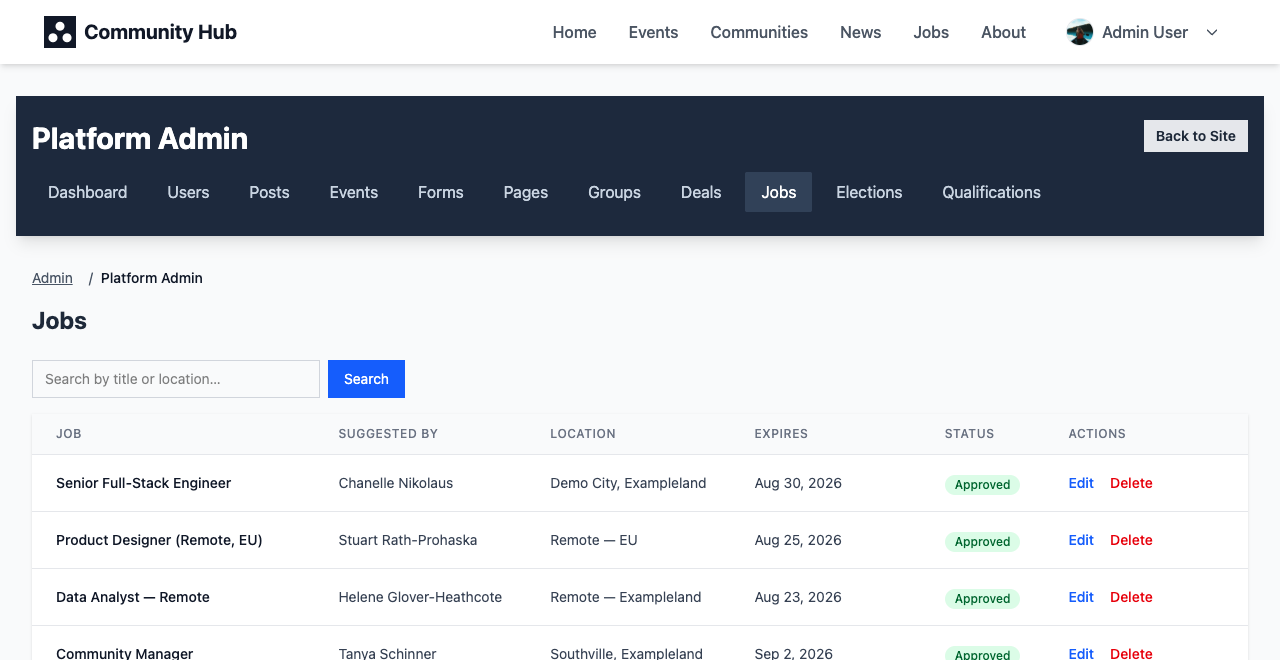
Admin screen reviewing suggested job postings

A job board members fill themselves

Members suggest openings, the board approves them, and postings expire on their own. Nobody has to remember to take down a job from last spring.

For developers: the codebase is clean and modern enough that AI coding tools like Claude Code navigate it well — not a product feature, just a note on what you're getting if you fork it.

All of it included. None of it metered.